Jewelry Éclat
The Photoshop plugin that puts your jewellery photos on white, one image or a whole folder, as a layered PSD.
$139 For jewellery photographers and retouchers.
Before, after
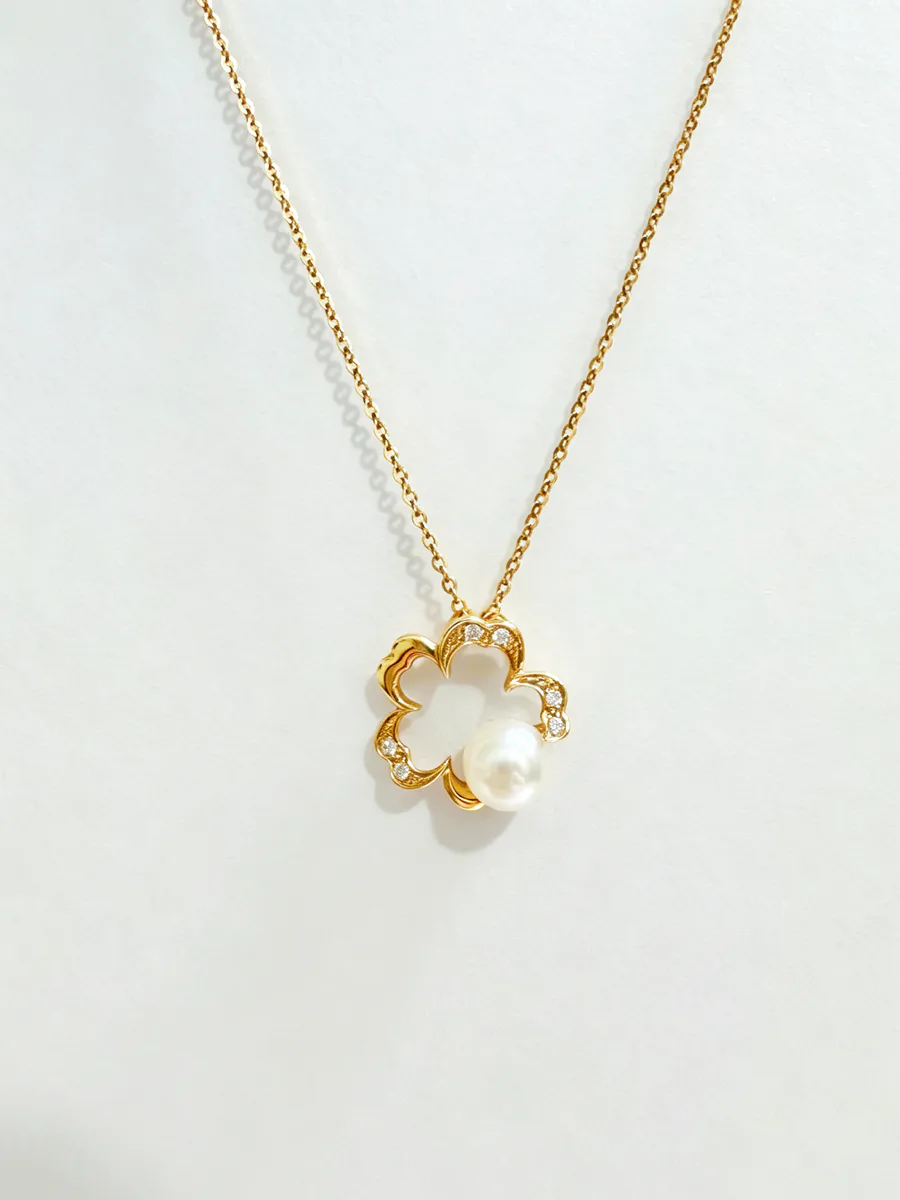
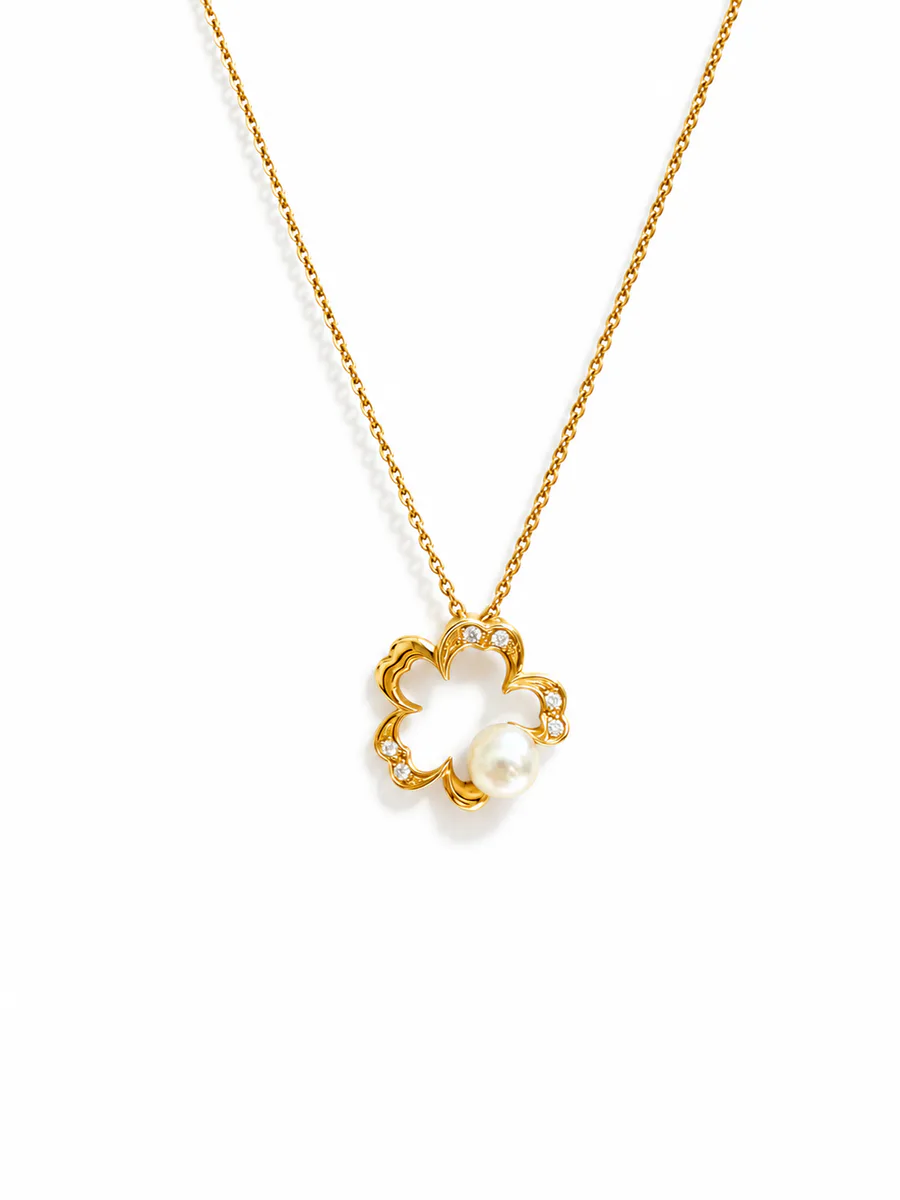
White-background retouch made by Ykela for a client.
What it does
- White background on the open image, from a Photoshop panel
- A whole folder in one batch, delivered as layered PSDs
- Line art from a photo
- Your retoucher keeps the final say, inside Photoshop
How it works
- InstallInstall the plugin in Photoshop and enter the key of your AI provider account.
- ChooseOne open image, or a whole folder for a batch.
- FinishThe result arrives as a layered PSD: compare it with the original and finish it.
You use your own AI provider account: your images do not go through Ykela, and the cost per image is yours.
Your images stay with you
Photographers and retouchers
The plugin sends your images straight to the AI provider you chose, on your account. They do not go through Ykela; that provider processes them under its own terms.
Houses and brands
The same plugin, pointed at a provider under your own contract. Or the private workflow, installed on your machines: your images never leave your premises.
What you need
- Photoshop 25 (2024) or later, on macOS or Windows
- An account in your name with the compatible AI provider, named when you get access
- An internet connection while retouching
The licence
- One-time licence: you pay once.
- 12 months of updates included.
- You can download the plugin again from your Ykela account.
- No refund once downloaded, except for a faulty file. You confirm this with a checkbox before buying.
Draft terms, under legal review.
Request access
Your work, your Photoshop version, how many images you handle: a few lines are enough. We reply by email with access and next steps.
Questions
Where do my images go?
On your account: straight to the AI provider you chose, never to Ykela. That provider processes them under its own terms. For a house that wants to keep its images in-house: the plugin on a provider under your own contract, or the private workflow installed on your machines.
Do coloured stones stay true?
Not always: coloured stones can lose fidelity; check on a trial image before you run a batch.
How much does an image cost?
You pay for the plugin once. Each retouch uses credit on your provider account, at that provider’s rate; Ykela takes nothing on it.
What happens after 12 months?
You keep the version you have, which keeps working as long as the provider’s service stays compatible. New versions are no longer included.
Why on request?
We open access in small groups so we can follow each install. Online payment will come later.